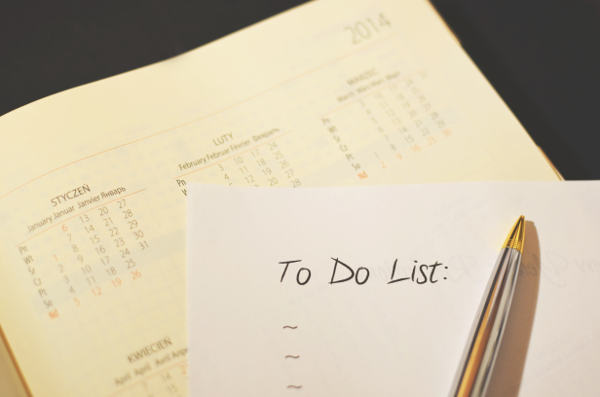
This episode explores the different ways I manage my todo list items and along with techniques I’ve learned to avoid feeling overwhelmed by them and get more done.
Podcast: Download
Subscribe: Apple Podcasts | Android
Background
The topic of managing task lists and todo items comes up often with coaching clients. I find that many people (including me) sometimes experience their task tracking system as depressing and discouraging instead of helping them.
One of the most important things to remember about any task management systems is that they are rarely permanent. My system continues to change and evolve, even after almost 25 years in the work place.
Big Ideas
- A winning task tracking system is:
- Flexible enough to change as you do
- Good enough not to let critical things drop or silently fail
- Easy to maintain (however you define that)
- Not overwhelming
- Capable of filtering–shows what need and hides the rest
- Something you can put your full confidence in
- My advice
- Do what works for you
- Don’t listen to the gurus if their methodologies don’t work for you
- Systems rotate and have limited shelf-life
- What worked yesterday might not work today
- Don’t beat yourself up when it fails
- Be flexible
- Know when to push through and when to take a break or try something else
- Sometimes it’s time throw all the Post-its away and start over
- Even the people who talk about how they execute their systems like a walk on the beach at sunset have challenges
- They are human
- Some people are robots and execute their task system w/ amazing proficiency–most likely you are not like them and neither am I.
- Don’t compare yourself to others
- My approach
- Daily, short-term tasks go on paper or Post-Its (analog)
- Long-term tasks and projects get stored in Trello (digital and easily searchable)
A Two Tiered System: A Daily List and Deep Storage
- Daily
- Always Visible
- My rotating tools
- 4×4 Post-it Notes and a Sharpie
- Blank sheet of copy paper on clipboard with tasks in circles
- Medium size spiral notebook
- Open to one side only
- Everything for that day must fit on the page (can’t spill onto another page)
- Deep Storage goes in Trello
- Go here for the big picture/full overview
- Holds everything that needs to be done or considered in the future
- Filtering aids in avoiding overwhelm
- “Honey dos” are added silently by my wife
- Doesn’t stress me out
- Doesn’t interrupt me
- Doesn’t get forgotten
- High-level/quick scan periodically (every week or two on Saturday mornings)
- Pick out important stuff that needs to be prioritize or started soon
- This periodic check-in has saved us from missing/dropping some important tasks
- Deep review every couple of months
- Scan every card in the board and put in roughly prioritized order
- Because my wife doesn’t totally love Trello (and I hear there are few wives that do), I often scan it for the “next important things we need to focus on” and put them on Post-its.
- On a given weekend we might make post-its of the most important 5 or 6 things that need to happen on Saturday and agree to tackle them
- We usually get half of them done which means we should hire a better scrum master than me ;-)
Tactical Suggestions for Daily Success
- Set up your day for success
- It all begins the night before
- Deciding first thing in the day never seems to work as well (the clarity just isn’t there)
- Select the top 3 things that must happen tomorrow (no more) and write them down
- If you are working on a side-hustle or personal projects before you start the day, decide what those couple of things will be too
- If you find that you’re getting distracted or derailed on a consistent basis, create a “No List” for the day
- Email before a particular time
- Browsing the news or bargain sites
- Facebook or Twitter
- Make individual tasks to be accomplished small enough that they can be completed in 4 hours or less
- You want to feel a sense of progress
- If more than 4 hours it’s probably too complicated
- Get to know when the times during the day that you have your best energy and cognition
- I find these times are generally in the same neighborhood each weekday
- Weekends seem to have a different vibe to them
- Make it easy to add to new todo items for short-term and long-term tasks
- Keep a blank pad or special piece of paper to capture random ideas that pop into your head when you are in deep focus
- Work out a way to merge these things back into your daily list or deep storage
- Keep the post-its and Sharpie present
- Create an email alias to easily send new cards to Trello
- It can be dangerous to go into email because it opens Pandora’s inbox
- Compose an offline email so as not to send and receive more new email–the card will get created eventually and this is usually fine
- An Always visible (daily) task lists seem to work better
- Keep Post-Its, paper or notebook always in a place I can see them
- Easier to remain focused on what I’m supposed to be doing and need to accomplish
- Paper and analog methods work much better than electronic tools for me
- No distractions
- I’ve never been distracted to check my email when moving a Post-It note around
- Better than anything I’ve ever tried
- It’s always within my field of vision so it’s easier to stay on track
Related Episodes
- Ruthless Prioritization (4) — the Post-it approach when time and energy are limited
- How I Use Trello to Manage Tasks and Todos (37) — how I use Trello for deep storage
- How I Get Organized When I’m Overwhelmed (118) — how I get organized when I’m overwhelmed
Credits
- Pulse Rock by Kevin MacLeod
- Sax, Rock, and Roll by Kevin MacLeod
- Hallon by Christian Bjoerklund
All songs licensed under Creative Commons
Transcript
This transcript was created automatically and may contain small errors.
Before we get into things, I wanted to mention that I’m still taking coaching clients. So if getting a better sense of organization around your productivity, your life in general, or Maybe you just wanna start at the beginning and just say, what do I value and where am I going and what am I trying to figure out? We can do that too. Because I’m in the middle of a certification program now, I’m deeply discounting my rates as I look to work with as many people as I can and accumulate as many coaching hours as I can. If that’s of interest, head over to johnpoelstra.com/coaching and read a little bit more about it and send me an email and we’ll set up a time to talk.
There’s no obligation for the first meeting. And you can ask any questions you want. We’ll also use that first meeting to coach through a smaller topic so that you can kind of get a sense as to what coaching with me is like and what that might look like overall.
I want to talk about managing task lists and to-do items. This has come up with multiple clients and it’s an area that I find people often get discouraged about, including myself, which, you know, kind of defeats the whole purpose of having a task tracking system. I think most of us would agree the purpose of the system is to help us feel better and get things done, not make us feel more depressed or overwhelmed. So I thought it might be useful to share some of the ideas that I have, the experiences that I’ve had, things that have worked, maybe things that haven’t, in hopes that maybe they’ll help someone else out there. And I would also just add that the caveat that, you know, even after almost 25 years in the workplace, I still feel like I’m a student of this area.
I’m still tweaking and tuning and evolving and borrowing from one technique and stealing from another and trying something that works and it works for a while and then it doesn’t. And so I think this might just be one of those things that’s just a constant evolution. Yeah. Over our lives. The key, I think, is to remain flexible and to really take advantage of something when it’s working, and when it’s not, to figure out why and move on to something better.
So here’s what I’m looking for in a to-do system, or here’s what I found has worked really well, and also what’s important about it. First, it’s flexible enough that it can change as I do. It also— it won’t let critical things drop. It’s easy to maintain. However you define that.
Some people would say it’s an app on their phone. Other people like me would say it requires something to write with and to write on, and that’s it. And then also, I would also say that a good system is one that’s not overwhelming, or it can be turned into not being overwhelming.
So where this often shows up is a tool like Trello. It’s great because you can add unlimited cards, and before you know it, you have a board with 300 cards in there, but every time you open it, you get overwhelmed and depressed because there’s so much to do. So one of the key things that you can do with Trello is to filter cards and hide them so that, you know, you can have it show you only the cards that you want to see or need to see. I think it’s also important to, you know, getting back to my point of something that won’t let critical things drop, it’s a system that you can put your full confidence in. I think this is where the peace and the lack of feeling overwhelmed and stress can come is when you know you have a system that works good enough.
I don’t think any system is 100% fail-safe, but it works good enough that you can put your full confidence in it that it’s going to catch all the really important things that you need to do. A good example of this could be in a given day, if I know there are 5 important things that must have to happen, I’ll create 5 Post-its and stick them on my desk. I know at the end of the day that When those Post-its are gone, I’m good. I covered all the things I needed to. If that Post-it is still there, I still have work to do.
So it’s very cut and dry, very clear, very simple. And I find that that level of simplicity gives me confidence and then just kind of puts my mind at ease that, you know, I’m covering what I need to.
Some other thoughts I have here on task systems is To really do what works for you. I know there are several well-known people in the productivity space and elsewhere, you know, David Allen’s Getting Things Done and any number of other different people. They all have their systems. They talk about how their systems work and how great they are and how in love they are with them. I say if their system doesn’t work for you, that doesn’t mean there’s something wrong with you. It just means that their system doesn’t work for you.
So find something that works for you. And I find for me that my systems have a limited shelf life. I find that I’m constantly rotating between 3 or 4 different ways of tracking things and remaining clear on what needs to get done. So what worked yesterday might not work today. So don’t beat yourself up about it.
So be flexible. So don’t just grind on a system just to grind on it. If it doesn’t work, listen to that. Sometimes it requires discipline, yeah, to kind of keep a system going, but sometimes the best thing you can do is throw it away and start over. A great example of this is my Post-its.
I’ll have Post-its on my desk. I don’t recommend ever sticking them to your monitor, but I like to line them up in a line, a single line on my desk of just kind of order of priority. Sometimes I use those Post-its for a week or two, and sometimes I recycle them if it’s, you know, kind of a recurring task. And sometimes those Post-its just They just have negative energy around them and they’re just kind of— there’s just, I don’t know how to describe it. It’s just kind of not a positive feeling that I see because I’ve been seeing them so often or I’m tired of them.
Anyway, I’ll just throw them all away and maybe I’ll start with a different color of Post-it or different colored pens or some type of variety to just kind of reboot things and start over again. So I think it’s totally fine to start over again. Again, use what works for you. And you know, the, the people that talk about how they execute their systems with ease and it’s like walking on the beach and it’s beautiful sunset, I don’t know. I just gotta believe that they’re human like we are and that their systems don’t always work 100%, 100% of the time.
I just have to believe that their systems don’t work 100% of the time. So again, the big takeaway here is don’t compare yourself to other people, figure out what works for you. So over the years I’ve come up with— and again, the whole caveat of my whole conversation here is if what I share doesn’t work for you, that’s totally cool. Take something that I’m using that sounds good to you and try it out. Maybe you’ll find a couple things that work here.
Hopefully at least one. One or two of them will, but I kind of doubt that all of them will. So without realizing it, I’ve come up with 2 tiers of systems. And I tripped over this recently with a client as we were kind of exploring what they were looking for and what was important to them in a system. And I, it just kind of jumped out to me that, oh, so this is how my system has evolved and this is what it is.
So there’s the 2 There’s 2, I call them 2 tiers, I guess. There’s the daily system. So how I manage those things that have to be done on a daily, longest duration there is weekly, but I really only plan by the day. I’m pretty agile in my planning. So daily versus what I call deep storage.
Deep storage is, the best example of this is my wife and I have a Trello board that we use for house projects. I’ll caveat this for any of the guys out there. Love this. And I’ve heard this from multiple people, including another client, uh, that does not enjoy the, uh, spousal Trello system for managing stuff. With that caveat there, we still use it.
Over time, my wife’s come to like it a little bit more. But the idea here is that this, our home Trello board, is anything that needs to happen with regards to running our household, keeping our house in running order, our cars, Anything that has to do with our family and our household goes in there. So it could be we need to paint the house or big projects that eventually we want to work on. Or it could be as simple as the outlet in the den is broken and needs to be replaced, which I did just the other weekend. Because I was scanning through the board of, oh, what are all the things that need to be done?
And I was like, oh yeah, I’d forgotten all about that. Another one that’s been hanging over my head is the rain gutters are leaking and it’s quickly becoming rain season. So we need to do something about that. Anyway, Trello, I find, is a great place for kind of the deep storage. It’s kind of the holding place for everything that needs to be done, either short-term or long-term.
If it needs to happen short-term and it can just get done, it usually gets picked up in my daily system. But Trello is kind of the place where I keep the longer-term stuff. I also do this for work. So I have a Red Hat board that’s full of projects and things that need to get done that I haven’t quite gotten to, or I need to remember to do them. This works a lot better and it’s way easier to prioritize than trying to use your inbox.
I think using an inbox as a, as a task system, it can work. I do it sometimes on a very short-term basis if I’m traveling or something like that, But on the whole, it is a horrible place, I think, to keep a to-do list. But again, if it works for you and your system works, have at it. The key though, with this deep storage place is that it gets periodically reviewed. So every Saturday or 2, I take it on myself to scan the Trello board to see, you know, what needs to be done, what needs to be reprioritized, what’s coming up that we haven’t dealt with yet.
Do those kinds of things. And because my wife isn’t totally thrilled with Trello, that’s part of where this daily system kind of evolved from. So a lot of times what I’ll do is I’ll scan the Trello board and I’ll pull out 5 or 6 things that I think we probably should deal with on a particular weekend. And I might create some Post-its for it or raise them for discussion with, hey, I think before the end of the weekend, we should talk about that trip we want to take. Should we buy tickets?
This party we need to go to, you know, whatever the case might be, but use— I’ll basically extract things from Trello so that she doesn’t have to go into Trello. On the flip side, Trello has become a very, very positive way to collect all those things that she wants help with or she needs me to do. I love it because then I don’t get an email, I don’t get a text, I don’t get something that’s like, hey, I need you to fix the outlet, or I need you to do this, or this needs to happen this weekend. Instead, she’ll just go in there and create cards for those things that need to get done. And then when I review the board, I see them again.
Then they’re not stuck in my email or stressing me out when I don’t want to be thinking about what needs to happen with the house. To loop back on this, I see these— I find these task systems are broken down 2 ways. The long-term, bigger deep storage backlog, whatever you want to call it. And then kind of the daily, Tactical. Now in the daily tactical, in terms of the things that I use here, I am rotating between 4×4 Post-it notes and a Sharpie, which I love, as I mentioned in previous episodes.
I think I mentioned in one episode I was totally all in on them. Then I had stopped using them. Well, I’ve gone back to them. I’m not currently using them today, but they could show up at any moment. Another favorite is a blank sheet of copy paper.
And I draw, I write down what needs to happen and then I draw a circle or a box around it. And then I’ll draw a big X through it when it gets done. And then, you know, on a given day there might be, I don’t know, 10 or 15 circles of different things that need to happen. I just find that so much more pleasant and enjoyable to look at than a, you know, a yellow legal pad with this huge list of things. Occasionally I’ve used notebooks or composition books.
A second favorite to the Post-its is 3×5 index cards. Again, use a— highly recommend a Sharpie or a big, like, thick marker to write on them so they’re easy to read, as opposed to like a ballpoint pen. So anyway, those are some of the different things that I’ll rotate through in terms of tracking those daily things.
Here’s some other things that I found really work well in terms of daily success when it comes to managing to-do items. The first is planning them the night before. I don’t know what it is about first thing in the day, even if you just had that perfect cup of coffee and done whatever favorite morning routine you have. I find that there is just a completely different level of clarity that comes the night before, even if you’re super tired, that comes at night the day before about what needs to happen the next day. And so I’ve had some of my most productive days when the night before I’ve written out those 5 or 6 Post-it notes, or maybe they’re already on my desk, but I’ve sat down and kind of reprioritized them, maybe taken one of them and stuck it right in the middle of my desk, which is to say, when you sit down here tomorrow, that’s the first thing you need to work on.
Setting it up and picking those things the night before. And again, it could be that your system is you go into Trello and you scan Trello and you say, okay, what are the 5 or 6 things I need to do tomorrow to make sure I’m really on top of things? Or scan your email. So whatever your, whatever your deeper storage place is, scan it the night before and then create those smaller tactical things you’re going to do the next day. I recommend it be like the top 5 to 7 things, no more, unless you’re just absolutely going to crush all 7 and run out, which is probably unlikely.
My experience is I’ll create, you know, a whole like 10 of them and get to 2 of them. And that doesn’t feel so great at the end of the day. The other thing I found works really well is to break down, I think I’m stealing this from Getting Things Done, which is to break things down into smaller chunks. So, you know, a task, maybe a particular Post-it is like the most amount of time that Post-it takes is 4 hours. So if you have a presentation that’s maybe gonna take you, I don’t know, 3 days to create in the long run, maybe you create a Post-it that just says, 4 hours.
Create 5 slides or create 10 slides or something, something that’s more manageable, that’s more time-bound, that will also give you a sense of progress because chances are you can’t sit down for 10 hours straight tomorrow to work on that presentation. Now sometimes you’re in a crunch and that’s what you got to do, but generally you’re— you probably only have a finite amount of energy and brainpower to give to that presentation. So Chip away at it. Give, you know, commit to, you know, create different Post-its that represent, you know, 10 slides or 5 slides or whatever. So then when you get that one Post-it done, I like to just wad it up and throw it away.
And then my list is shorter and I have that sense of accomplishment. Another thing that I found critical or key, and I think I only figured this out in the last year, is having a visible task list, like visible, like visible as in in front of you. At all times. So what’s happened for me is my desk has kind of evolved in that the upper left corner of my desk is my row of Post-its, or I’ll have this blank piece of copy paper on a clipboard that clipboard just lives on my desk. No matter what I’m doing, I can glance over and look at it and see that those are the things that need to get done.
I find that, like, what’s funny, you know, I’ve never been tempted to go on social media or check my email or waste time by looking at my to-do list, but I’ve lost track of the number of times I’ve gone to Trello to look something up or add something only to end up somewhere on the internet I didn’t belong, just wasting time. I really have a high preference for things that are visible and that I can, you know, see and touch all day long. Something else that’s also helpful here is sometimes on my piece of paper for the day, I’ll create a no list. I’ll make a list of, you know, no email before noon, which I wish happened a lot more than it does, or, you know, no Twitter, no internet surfing, or no news, or whatever the nos are that are going to help make that day that much more productive. Those are great things to write down and to get really clear on.
And To continuously look at throughout the day. I’ve also found it to be really positive to have it really easy to make new to-do items. So whether that’s, you know, my handy Sharpie, I have different colors. That’s kind of fun to get the multicolor pack. Whether it’s the Sharpie and the Post-its are just there waiting, whether it’s a, you know, my blank, my copy paper, the blank piece of paper that with a pen where I can just pick it up and add that next thing.
I find that is another great way to reduce the distractions and stay on track. Another tactic here, if you’re like me and you spend a tremendous amount of time in email, is to create an alias for the email address that Trello boards get. So an often overlooked feature of Trello is the ability to email cards to a Trello board. I’ll put a link to this in the notes on how to do it. It’s super simple.
So every Trello board has a unique address. And what I’ve done at work is I just created an alias called Red Hat Trello or something like that. So if in the middle of the day, I think, oh, you know, I need to set up a call with this person, or, oh, I should kick off this project, or just that thing that pops in your mind and you don’t want to go to the web, I’ll just compose a quick email. So the subject line becomes the title of the card. And then you can, I think you can use some Markdown and some other stuff as the body of your email that will end up in the— body of that Trello card.
So again, find out the email address for your Trello board, create a little alias for it, and then you just mail it. And that’s a really great way to just offload stuff. You can configure Trello so that the incoming email cards end up in a particular column. You can have them go to a particular column, you can have them go to the top or the bottom. And anyway, I found that’s a really— very low friction way to keep track of additional to-dos without them just kind of ending up all over the place.
Another approach here is just to create another Post-it or, you know, whatever simple method you found works for you. And that about wraps up how I go about managing my to-do lists. I think there’s really— I’ve never thought of this before, but again, it came in working with this client to see this natural breakdown between the longer-term stuff that, yes, is completely overwhelming if not curated, managed, or, you know, abstracted when you don’t need to be looking at it. And then kind of the daily tactical approach that I’ve taken with manual to-do lists. So I’d be curious if there’s anyone else out there that, that has found this, you know, in this age of electronic tracking and everything has gone from the electronic back to the more old-fashioned, old-school, whatever the terms you want to use, but you know, the paper and pencil.
I’m strangely finding this also with Kindle books. I have been gravitating back towards reading physical books and I just, I don’t know what it is exactly, but I’m finding them more enjoyable. Give a shout out too, if you, if you have some thoughts on that. So There’s my to-do list system. If you have questions or observations or thoughts, just let me know and maybe we can include them in a future podcast.
So this month my coaching certification program ramps up and I must have a certain number of paying clients to remain in the program. I have every intention of remaining in the program. And getting the most out of it, which probably comes as no surprise if you’ve listened to me or followed me for any period of time. In order to meet that number, I’m deeply discounting my rates to make sure that I meet the number of required clients and get as many hours as possible to get the most out of this program. To find out more about what this means, send an email to REDACTED or go to my website, johnpoelstra.com/coaching and sign up for a free mini session.
A mini session is approximately 30 minutes of you and me on the phone talking about an area or problem in your life that you would like to move forward, ways on how to do that. And you’ll also get to experience firsthand a little bit of, kind of a taste of what coaching looks like with me. After that point, there’s no obligation. I’ll only follow up with you if you want me to. And we’ll just kind of leave things there.
There’s no obligation or anything after that. If you want to learn more about what the discounts that I’m offering in conjunction with my certification program are, I can share those at that time as well. And if not, we’ll just leave things there.

April 17, 2017 at 10:16 am
Another great podcast. I’m stunned your wife agrees to Trello. Mine would say no way! I agree that thinking ahead and maintenance/consistency is key.
February 21, 2017 at 8:51 am
Wow, a treasure trove of valuable tips for managing time and tasks. Thanks for sharing!